

Inventory accuracy comes from small daily habits. Review stock signals before selling, receiving, counting, packing, purchasing, or manufacturing.
Morning Review
Start in Inventory Overview to review low stock, negative quantities, value anomalies, location balances, and inventory movement.
Inventory Overview shows stock health, value signals, location filters, and items that need review.
- Review low stock and reorder signals.
- Review negative quantities or value anomalies.
- Check location filters if you operate multiple warehouses.
- Review backordered sales orders.
- Review open purchase orders and expected receipts.
- Review manufacturing demand when work orders or BOMs are enabled.
Receive Goods
Receive purchase orders into the correct location and bin. Enter serial numbers when the product requires them. Receive only what arrived, and leave the remaining quantity open when the vendor short-shipped.
Receiving increases on-hand inventory in the selected location and can collect bin, serial, and receipt details.
Move And Adjust Stock
Use transfers when stock physically moves between locations. Use adjustments when the quantity needs correction and there is a clear reason.- Transfer: stock moves from one location or bin to another.
- Adjustment: stock count changes because of correction, damage, shrinkage, or setup cleanup.
- Cycle count: staff count a controlled set of items and approve variance.
- Serial disposition: serialized items require item-level state changes.
Fulfillment And Shortages
Warehouse work should preserve inventory truth. Do not ship items that are not physically leaving. Use partial fulfillment, backorder review, purchasing, or manufacturing when the order cannot be completed today.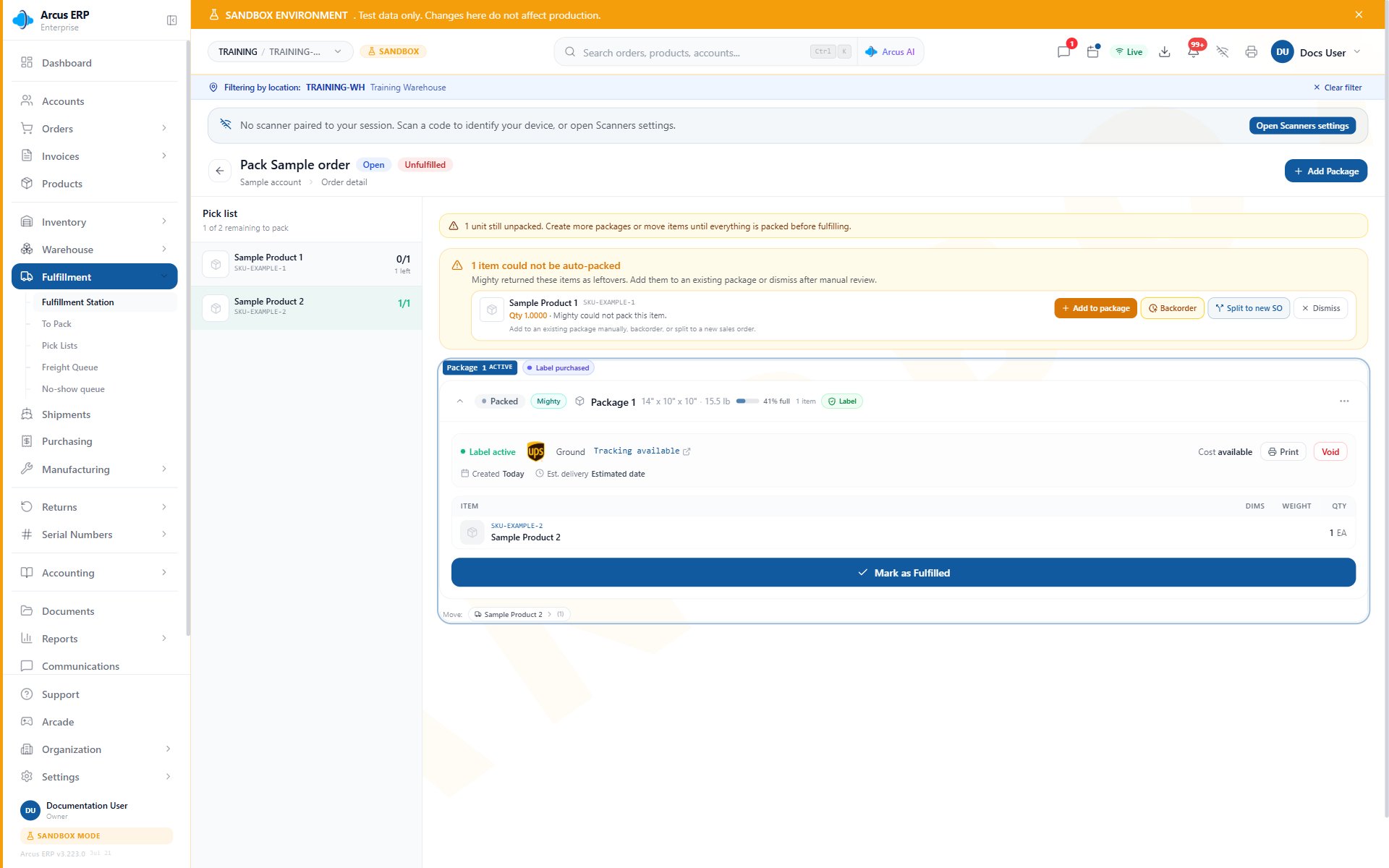
Fulfillment detail shows an active label, packed items, the Leftovers panel, and Mark as Fulfilled.
End Of Day Review
Before close:- Review inventory transactions for unusual movement.
- Review failed receipts, failed transfers, or open cycle counts.
- Review backorders created today.
- Review open purchase receipts that created GRNI.
- Review shipments that were packed but not completed.
- Review high-value adjustments with a manager.
Common Blocks
- Quantity is negative: review recent fulfillment, adjustments, receiving, transfers, and order timing.
- Inventory value looks wrong: review cost layers, recent receipts, recost actions, and negative-value warnings.
- Cannot receive serial item: enter one serial per received unit.
- Cannot transfer: confirm source location has available stock and user has location access.
- Cycle count variance needs approval: review counted quantity, expected quantity, reason, and approval rules.
- Order cannot pack: review payment, holds, stock, serials, address, package, and label state.
Related Articles
Inventory Overview
Monitor stock health, location balances, low-stock alerts, and inventory value warnings.
Inventory Transactions
Review stock movement history, FIFO layers, adjustments, transfers, receiving, and fulfillment effects.
Cycle Counts
Count inventory, review variances, and approve corrections.
Purchase to Pay
Create purchase orders, receive inventory, record vendor bills, and pay vendors.