

Your first day should be about orientation and safe navigation. Ask an admin before changing settings, posting accounting records, charging customers, buying labels, or deleting data.
Sign In And Confirm Environment
After signing in, confirm the entity and environment in the top bar. Sandbox is for practice and testing. Production is real business data.
The top bar helps users confirm entity context, environment, global search, messages, notifications, and user menu before acting.
Learn The Sidebar
Use the sidebar to move between daily modules. If something is missing, it usually means your role, entity membership, location access, or enabled modules are different from another user’s setup.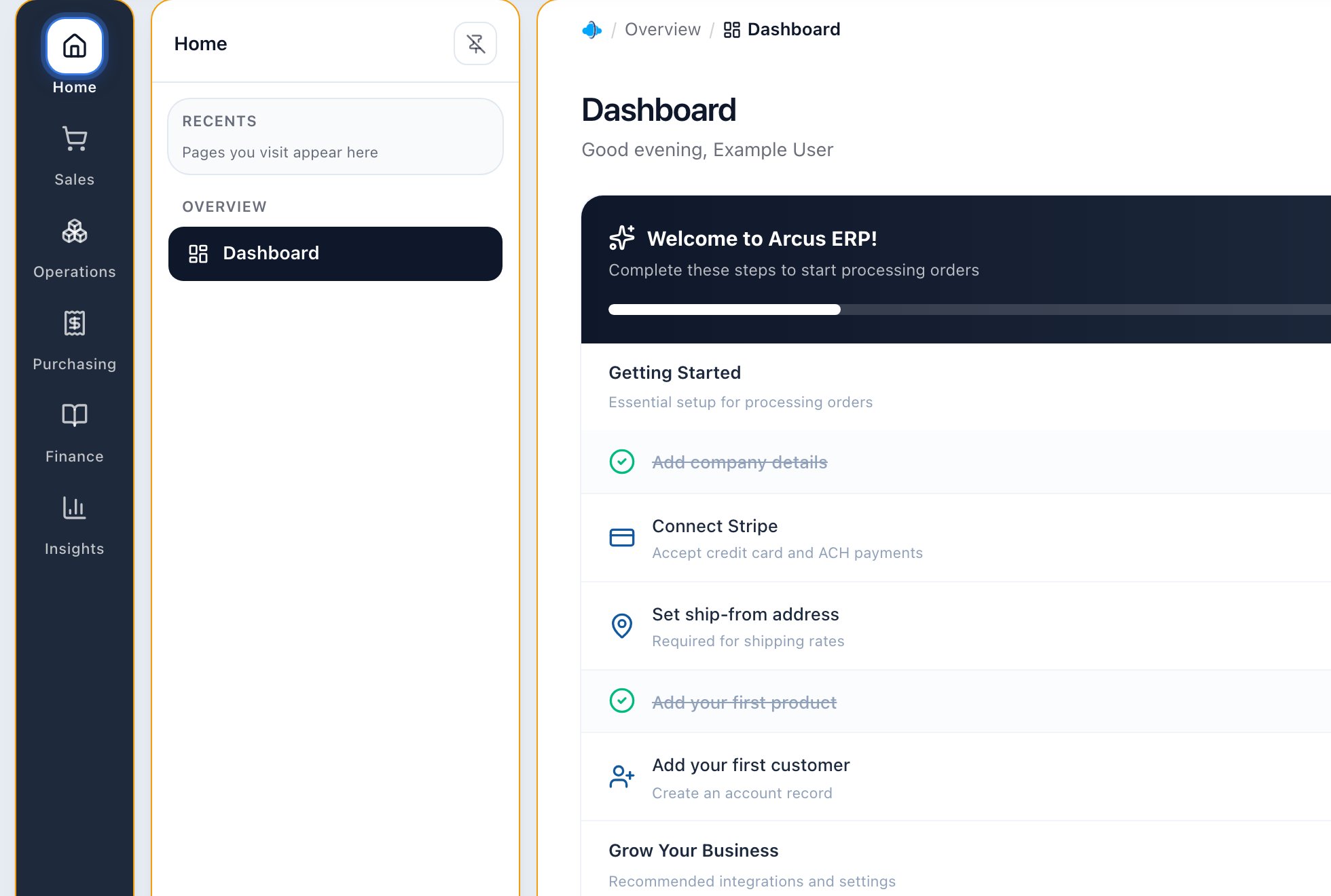
The sidebar is permission-aware and gives users access to their daily Arcus modules.
- Dashboard: daily business summary.
- Accounts: customers, vendors, contacts, addresses, terms, and communication history.
- Orders: sales orders, quotes, payment, fulfillment, and exceptions.
- Products: product setup, pricing, inventory, kits, serials, and shipping data.
- Fulfillment: pick, pack, labels, shipments, and warehouse flow.
- Accounting: AR, AP, journal entries, bank reconciliation, reports, and period close.
- Support: user guides and workflow docs.
Find Records
Use global search when you know what you are looking for. Use module list pages when you need a queue, filter, status tab, or broader review. Search by:- Order number.
- Customer or vendor name.
- Product name, SKU, or part number.
- Invoice number.
- PO number.
- Tracking number.
Safe First-Day Habits
- Confirm sandbox or production before every meaningful change.
- Open the record detail page before taking action.
- Read warning banners and disabled actions.
- Use support docs before unfamiliar workflows.
- Ask before charging a card, posting an invoice, paying a bill, closing a period, buying a label, or merging accounts.
- Do not paste secrets, card numbers, bank details, passwords, or recovery codes into notes or chat.
What To Practice In Sandbox
- Search for an account, order, product, and invoice.
- Create a draft quote or draft order.
- Add and remove a line item before confirmation.
- Review a fulfillment package without buying a live label.
- Open a financial report without posting changes.
- Review support docs and related article cards.
Common First-Day Blocks
- Page missing: ask an admin to review role and module access.
- Action disabled: check permissions, record status, setup, approval rules, and accounting periods.
- Data missing: check selected entity, location filter, date range, status tab, and search text.
- Wrong environment: stop and switch before creating or editing records.
- Unsure what a status means: use the common statuses guide before acting.
Related Articles
Navigation Overview
Learn the sidebar, top bar, search, list pages, detail pages, and permission-aware navigation.
Common Statuses Across Arcus
Understand common order, payment, fulfillment, return, purchasing, accounting, and connector statuses.
Quick Start Guide
Set up the basics and complete your first operational loop.
Dashboard Overview
Use the main dashboard for revenue, orders, inventory, AR, fulfillment, alerts, and recent activity.