

Open Products and Pricing Settings
- Open Settings.
- Choose Entity Settings.
- Open the Products and Pricing group in the left navigation.
- Choose Pricing Levels, Categories, Units of Measure, or Adjustments and Coupons.
Pricing Levels
Pricing Levels are named price tiers for customer groups, sales channels, and product pricing policies. Examples include Retail, Wholesale, Dealer, or Distributor.
Pricing levels are reusable tiers that can be selected on accounts, orders, sales channels, and product pricing policies.
- Name: the label operators see when selecting a pricing level.
- Description: optional internal context for who should use the level.
- Import: bulk creates or updates pricing levels from a CSV file.
- Delete: use carefully. A pricing level may already be referenced by accounts, channels, products, or pricing policies.

Keep pricing level names short and obvious. Operators see these names while choosing account and order pricing.
Categories and Default Units
Categories organize products and can provide default units for new products. Category defaults help product setup start with the right quantity, weight, length, and volume units, but the operator can still override those values on the product.
Category default units apply when a new product is created in that category. Existing products keep their current unit values.
- Name: the category label shown on product setup, product lists, filters, and reports.
- Sort Order: controls the order categories appear in selection lists.
- Default Quantity UOM: preselects the new product’s quantity unit.
- Default Weight UOM: preselects the new product’s weight unit.
- Default Length UOM: preselects the new product’s dimension unit.
- Default Volume UOM: preselects the new product’s volume unit.
Category defaults are create-time helpers
Changing a category default does not update products that already exist. Edit the product
directly when an existing product needs different units.
Units of Measure
Units of Measure define the units available for product quantities, weights, dimensions, volumes, and time-based services. Arcus includes locked system units and allows custom units when the business needs a local measurement.
System UOMs are locked. Custom UOMs can be added, edited, activated, or deactivated when they are safe to change.
- Type: groups the unit as quantity, weight, length, volume, or time.
- Code: the short unit code operators see in product and order workflows.
- Label: the readable name for the unit.
- Base Unit: the unit used for conversion inside that type.
- To-Base Factor: how many base units equal one custom unit.
- Status: inactive custom units stop showing for new selections, while existing records keep their saved unit.

Use clear conversion factors. For example, if one case equals 12 each, the to-base factor is 12 when Each is the base unit.
Adjustments and Coupons
Adjustments and Coupons define discounts, fees, and promo codes that can apply to orders. They can be automatic or manual, limited by date, limited by customer or usage count, scoped to products or categories, and restricted to certain order origins.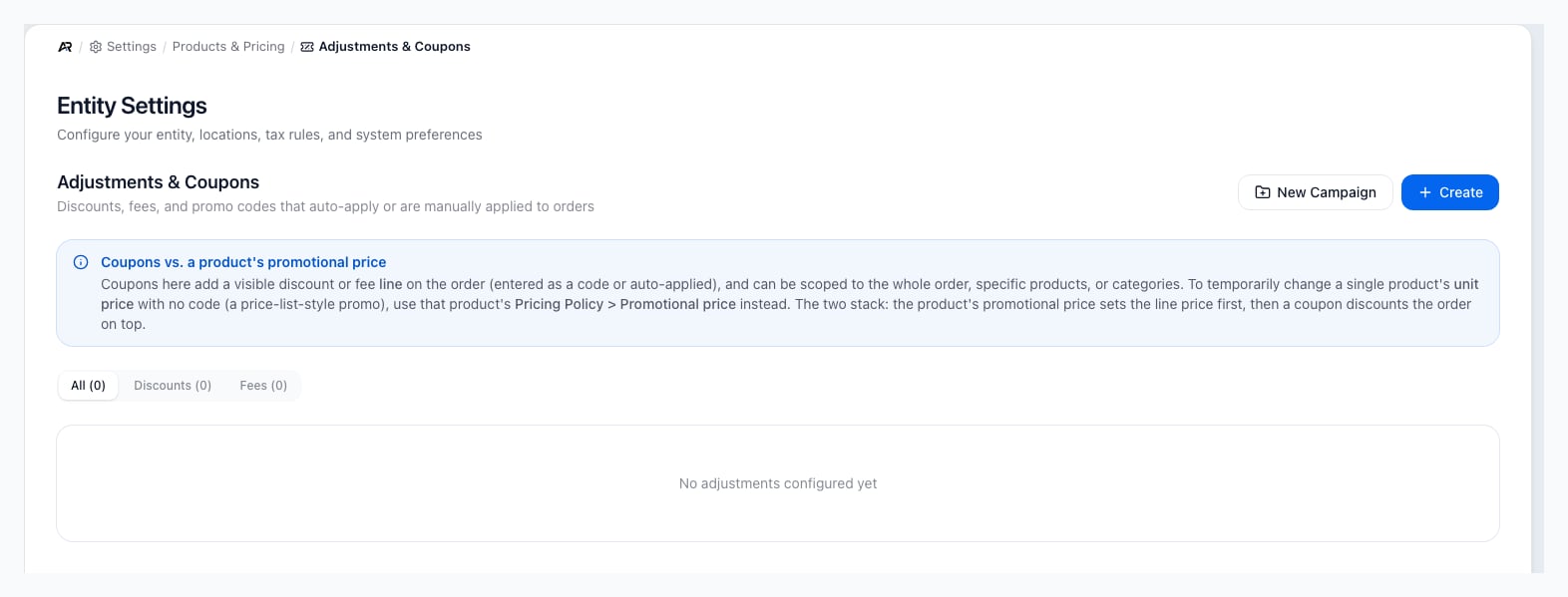
Adjustment rules control what can be applied to an order and when Arcus should block or auto-apply the rule.
- Effect Type: choose whether the rule discounts the order or adds a fee.
- Promo Code: optional code operators or customers enter to apply the rule.
- Value: a percentage or fixed dollar amount.
- Scope: entire order, specific products, or specific categories.
- Minimums: order value or quantity requirements before the rule is eligible.
- Date Range: controls when the rule starts and ends.
- Burn Rate: limits usage, such as single-use, per-customer, or limited total uses.
- Exclusivity: decides whether the rule can stack with other adjustments.
- Auto-apply: applies the rule automatically when all conditions are met.
How Pricing Is Chosen on Orders
Order pricing is intentionally specific-first. Arcus looks for the most specific usable product, customer, channel, pricing-level, and quantity-break behavior before falling back to the product’s normal price. Existing open orders do not automatically reprice just because a setting changed later.| Setup area | Used by | Operator impact |
|---|---|---|
| Pricing Levels | Accounts, channels, orders, product pricing policies | Chooses which price tier the customer or order should use. |
| Categories | Products, filters, reports, coupon scopes | Organizes products and can scope discounts or fees. |
| Units of Measure | Products, kits, orders, inventory, shipping | Controls how quantities and dimensions are displayed and converted. |
| Adjustments and Coupons | Order amount summary and eligible order automation | Adds discounts or fees when the rule is valid. |
Recommended Setup Order
- Create the pricing levels operators will actually use.
- Create or clean up categories and set default units where useful.
- Review Units of Measure before creating products in bulk.
- Create products and product pricing policies.
- Assign account and sales-channel defaults.
- Create discounts, fees, and coupons after the product and category structure is stable.
- Test a sample quote or sales order for each important customer type.
Common Blocks
- A pricing level does not change the order price: confirm the product has a pricing policy for that level and quantity.
- A category default did not update an old product: category defaults only help when creating new products.
- A custom unit cannot be deleted: it may be used by products or open order lines. Deactivate it instead.
- A coupon does not apply: check active status, date range, minimum order value, quantity, product or category scope, customer usage limits, and exclusivity.
- An order total changed after applying a fee or discount: totals and tax are recalculated after adjustments change.
- An open order did not reprice after a settings change: update the order line intentionally if the old order should use the new rule.
Related Articles
Product Setup
Create physical products, services, and product records.
Pricing Rules
Configure quantity breaks, customer pricing, and multiplier rules.
Kits and Assemblies
Create kits, add components, understand kit cost, and sell bundles safely.
Creating Orders
Build a sales order, add customers, set addresses, and add products.
Order Lifecycle and Safe Changes
Understand draft, open, paid, fulfilled, cancelled, and voided states.
Settings Overview
Understand the admin surfaces, settings groups, and workflow impact areas.